Less chaos. More control. Keep Booking.com perfectly in sync.
Your calendars, prices, and guest messages stay aligned so your rental runs smoothly every day.


4.8 average rating based on 4k reviews
Why Use a Channel Manager for Booking.com
Your bookings, prices, and guest info stay consistent everywhere you list. No guesswork. No repeats. No late-night fixes. Lodgify does the heavy lifting so you can focus on hosting, not juggling tabs.
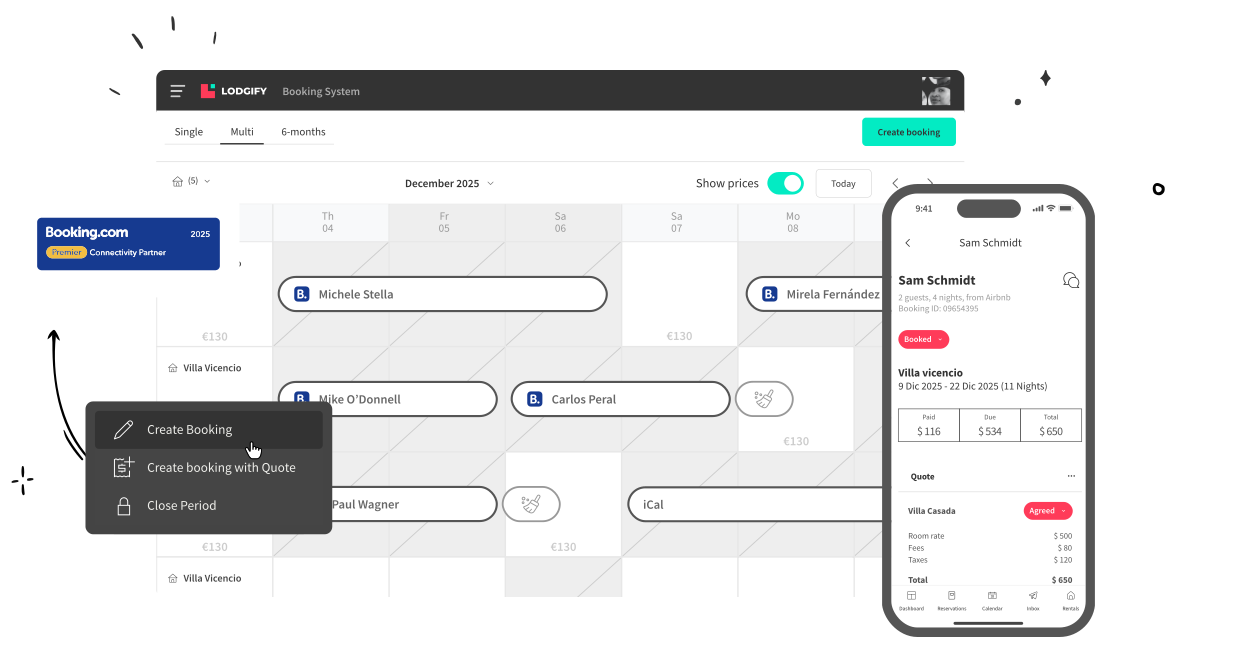
No more double bookings
Your calendar updates the moment a reservation lands. Future availability and existing bookings stay aligned across every booking site. Overlaps disappear.
Always accurate pricing
Your default and seasonal rates sync automatically. Set your strategy once and let Lodgify update Booking.com for you so your revenue stays on track.
All guest messages in one inbox
Your conversations from Booking.com and other booking sites land in a single AI-powered inbox. Automations help you answer faster, stay consistent, and keep all guest details accessible in one place.
No more manual copy-paste
Your property details flow from Lodgify to Booking.com. Photos, amenities, and room types stay consistent so travelers always see the right information.
Booking.com Connection That Just Clicks
Built to meet the highest standards
Booking.com awards “Premier Connectivity Partner” status only to software that meets their strict technical, quality, and performance benchmarks. It signals a stable connection, accurate data sync, and a trusted integration tested to keep your listings running smoothly.
.png)
Seamless setup from first click to live listing
You move through a simple step-by-step flow that removes the guesswork from connecting to Booking.com. Lodgify handles the technical details behind the scenes so you can activate your sync in minutes and manage everything from one place. If you need help, our onboarding team is ready to guide you through the setup.







Lodgify is trusted by hosts in 180+ coutries
I’ve been using Lodgify to manage several listings across Airbnb, Vrbo, and Booking, and it has made my hosting life so much easier.
The channel manager keeps all calendars perfectly synchronized, and the website builder helped me quickly launch my own direct booking site.

92%
Trust rate from independent hosts
Lodgify has been named the best vacation rental app for 4 years straight.
4.9/5
Star rating on our app
Lodgify has been named the best vacation rental app for 4 years straight.
89%
of 5-star reviews on Trustpilot
Hosts consistently praise Lodgify for its ease of use, powerful automations, and clean design.
4.8/5
rating on Trustpilot
Lodgify is recognized as a leading solution for independent hosts worldwide.
4.8/5
rating on Trustpilot
Hosts consistently praise Lodgify for its ease of use, powerful automations, and clean design.
89%
of all reviewers gave 5 stars
Lodgify is recognized as a leading solution for independent hosts worldwide.
Leading the industry since 2012
Lodgify has been a market leader in the vacation rental industry for over 14 years, earning the trust of hundreds of thousands of independent hosts worldwide.

Still Have Questions?
Or, you can also
You can easily sync your calendar, bookings, availability up to 18 months, guest details, rates, fees and taxes, payments, and more! Check out the full list in our Lodgify Help Center.
Nope! The connection requires zero maintenance from your side. Besides, help is always available from our dedicated connectivity team at any time.
Before setting up the connection with Booking.com, there are two requirements to be aware of:
- You need to have the same currency in both Lodgify and Booking.com.
- Prices and Availability are only editable in Lodgify. If you wish to create a manual booking or a closed period, you will have to do it directly in Lodgify. Then it will be automatically imported into Booking.com.
Follow these steps to set up the connection between our channel manager and Booking.com:
1. Activation: To enable synchronization, log into your Booking.com extranet, click on "Property Info" or "Account" and then on "Channel Manager." In the drop-down menu, select "Lodgify."
2. Mapping: Specify how your rentals on Booking.com correspond to those of your Lodgify account and which rates you would like to synchronize. Our connectivity team will provide you with a form to fill in with the required information.
3. Rates: If you have configured Derived Rates in Lodgify, you can connect to multiple rates in Booking.com.
4. Markup: If you prefer to sell your vacation rental at a higher price on Booking.com than on your Lodgify website, you can mark it up when transferring your rates.
You can check out our Lodgify Help Center for more information. If you have any further questions, our connectivity team will happily guide you during the entire process.
Connect Lodgify to Booking.com here
The best channel manager for Booking.com is one that supports integrations with numerous other booking channels, syncs your availability as well as other listing details, and features additional automation and optimization features. You'll also want to look for a company that provides flexible pricing options as well as free onboarding and ongoing support.
Find the best channel manager for Booking.com here